
Primary logo
For white, cream and light backgrounds. Dark wordmark, lime mark.
Everything you need to use the Thalavam logo, colours, type and product visuals correctly. Follow these rules and whatever we or our partners publish will look like it comes from one company.
01 · Logo
The logo is a five-petal mark in lime with the Thalavam wordmark to its right. Always use the files from the logo pack. Never redraw, retype or recolour them.
For white, cream and light backgrounds. Dark wordmark, lime mark.

For deep green and dark backgrounds. White wordmark, lime mark.

For app icons, favicons and avatars, or wherever the space is square or too small for the full logo.
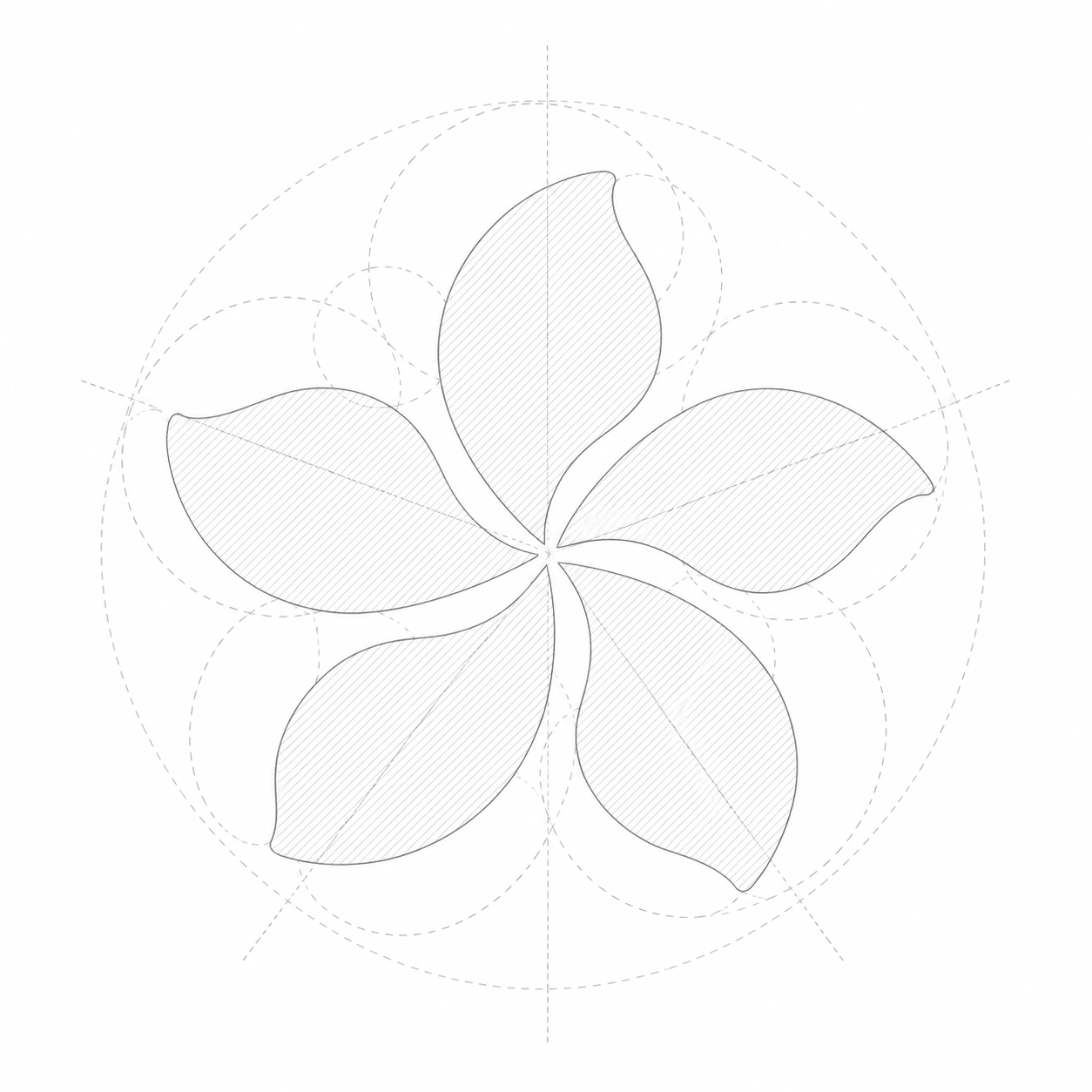
The mark is five petals turned around one centre point, as in the sketch at the top of this page. Keep the petals in this order and colour, and keep the wordmark to the right of the mark, never above or below it.
Keep an empty margin of at least x on every side, where x is half the height of the logo. No text, edges, images or other logos enter this space.
Below these sizes the petals and wordmark lose detail. Use the icon instead of the full logo when the space is smaller.
Use the dark logo on light backgrounds and the reversed logo on dark ones, whichever gives the clearer contrast. On a photograph, put a dark green overlay under the logo first.
02 · Colour
Two brand colours, plus a quiet supporting palette. Click any value to copy it. CMYK values are straight conversions from RGB for reference, so match them to a printed swatch before a print run.
#0022190 34 25Brand dark. Headings, hero and footer panels, and text on light backgrounds.
#C0E147192 225 71Logo colour. The main button, highlights and the mark. Use sparingly, and never as text on a light background.
The wordmark is near-black on light backgrounds and white on dark ones. The mark is always lime.
Links, labels, icons and gradients on light backgrounds.
Soft highlights: chips, callouts and selected states.
Page and panel backgrounds. Cream is the default page colour.
Mostly light surfaces and deep green, with lime in small, deliberate doses. If lime is the first thing you see on a page, there is too much of it.
Contrast ratios follow WCAG 2.2. Body text needs at least 4.5:1 (AA); 7:1 is AAA. Lime and white together fail, so never set lime text on a light background or white text on lime.
| Pairing | Colours | Ratio | Grade | Use |
|---|---|---|---|---|
| Deep green on cream | #002219 on #F4F5EA | 15.4:1 | AAA | Body text and headings on the page background |
| Deep green on white | #002219 on #FFFFFF | 16.9:1 | AAA | Text on cards |
| Soft ink on cream | #1D3C32 on #F4F5EA | 11.0:1 | AAA | Long-form paragraphs |
| Muted green on cream | #476158 on #F4F5EA | 6.1:1 | AA | Captions and supporting text |
| Green 600 on cream | #1B6652 on #F4F5EA | 6.2:1 | AA | Labels and small highlights |
| White on deep green | #FFFFFF on #002219 | 16.9:1 | AAA | Text on dark panels and the footer |
| Lime on deep green | #C0E147 on #002219 | 11.4:1 | AAA | Highlighted words and numbers on dark |
| Deep green on lime | #002219 on #C0E147 | 11.4:1 | AAA | Button labels |
| Lime on white | #C0E147 on #FFFFFF | 1.5:1 | Fail | Never use for text |
| White on lime | #FFFFFF on #C0E147 | 1.5:1 | Fail | Never use for text |
03 · Typography
DM Sans is the base of the logo lettering. Manrope sets everything else: the website, documents and slides. Both are open source under the SIL Open Font License.
ABCDEFGHIJKLMNOPQRSTUVWXYZ
abcdefghijklmnopqrstuvwxyz
0123456789 .,;:!?&@%()
The Thalavam wordmark is lettered in DM Sans, with the edges of the letters lightly modified. That modified lettering is drawn into the logo files.
Want it for reference? DM Sans on Google Fonts (opens in a new tab).
Manrope is the typeface for the website, documents and slides. The website serves it as a variable font covering weights 200 to 800.
ABCDEFGHIJKLMNOPQRSTUVWXYZ
abcdefghijklmnopqrstuvwxyz
0123456789 .,;:!?&@%()
Audit-ready farm data
Thalavam in three answers
Pre-built accelerators
Thalavam repairs farm polygons, extracts supplier evidence and checks land cover against public satellite imagery.
Each risk check cites dated satellite scene IDs, parameters and a SHA-256 hash, so a result can be reproduced later.
Agriculture & sustainability data engineering
Need Manrope on your computer for documents or slides? Get Manrope from Google Fonts (opens in a new tab).
04 · Product visuals
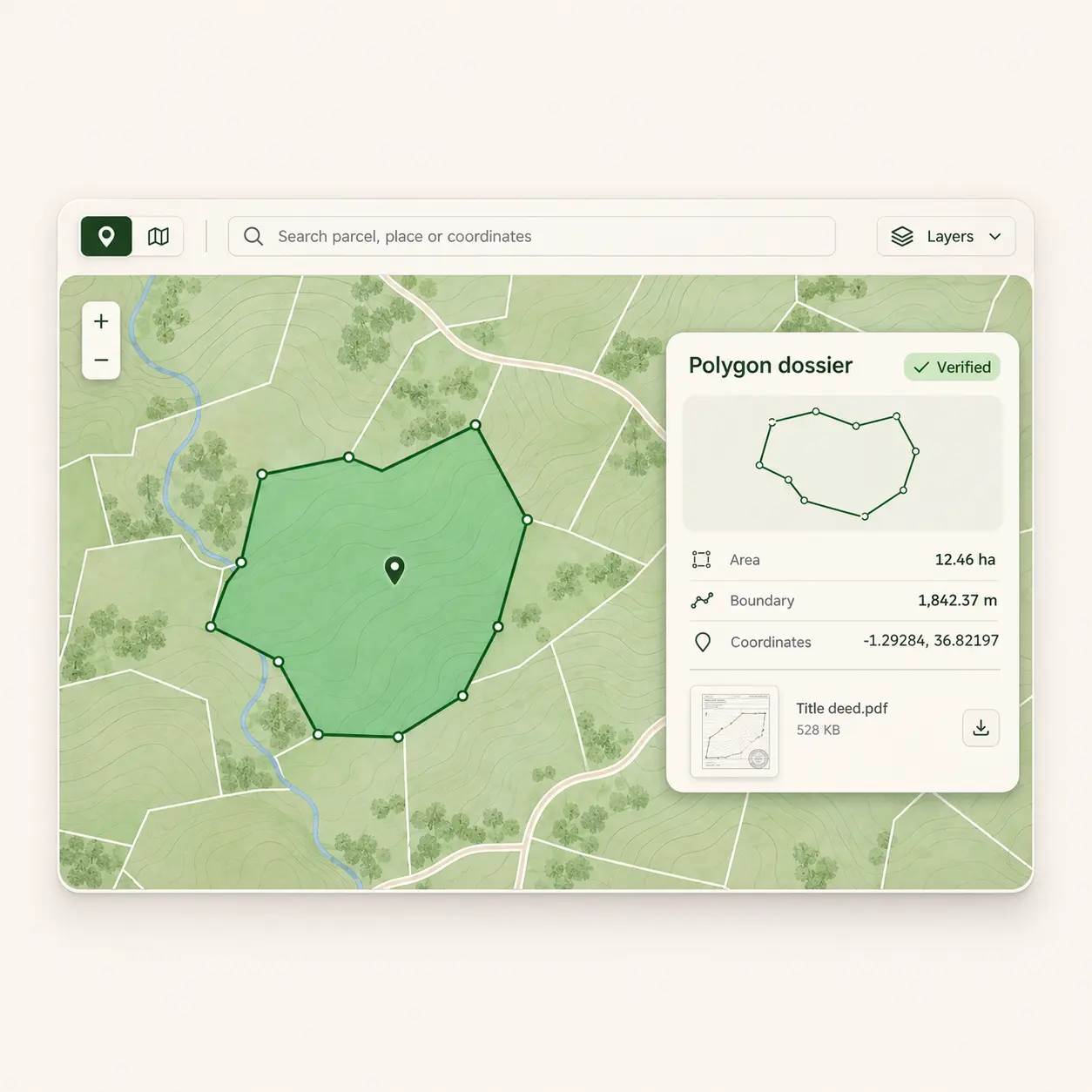
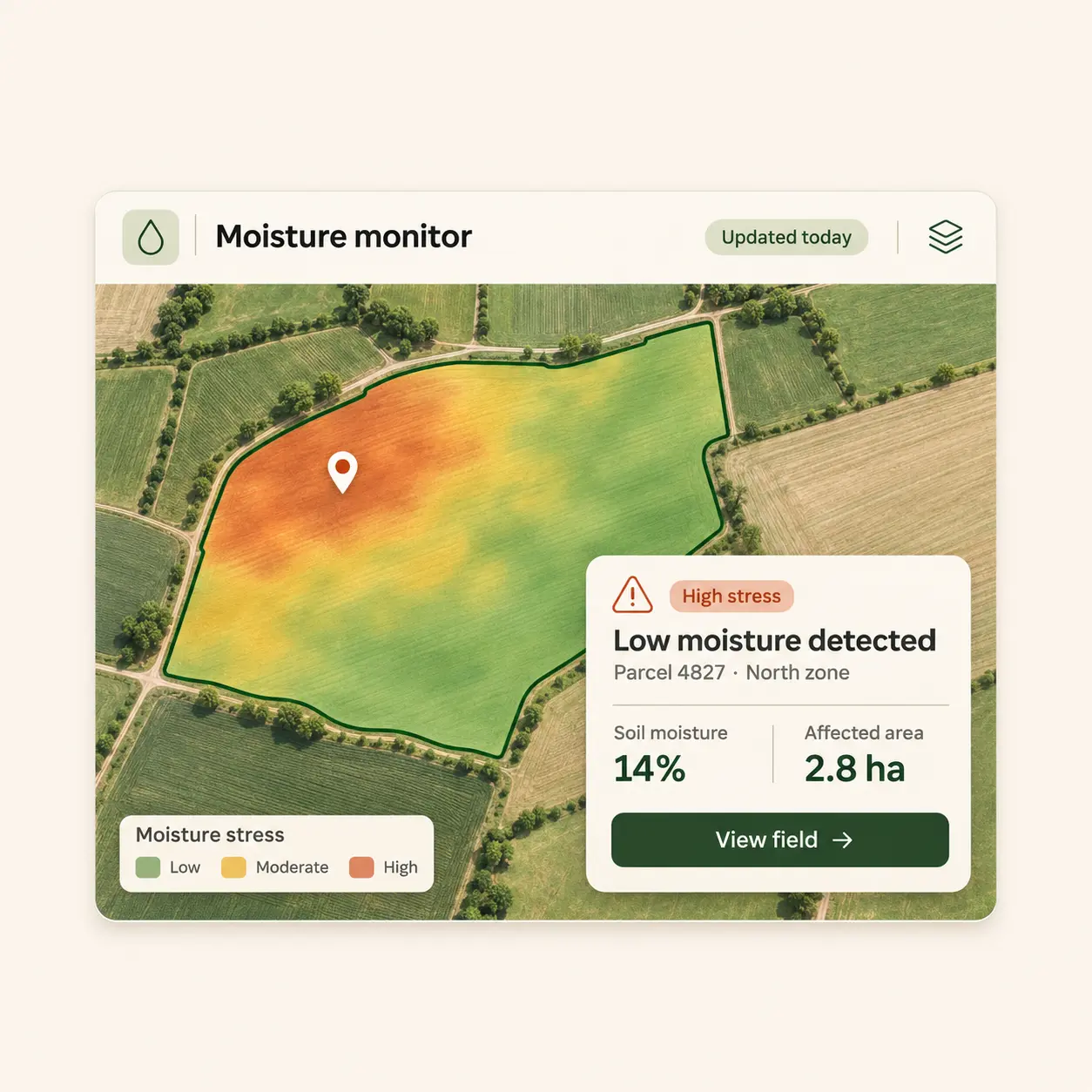
Show the product interface itself, on warm cream, with believable sample data. Anything that is a sample and not a real result is marked as illustrative.
05 · Naming
Consistent names make us easy to find and trust. Copy these as written.
Thalavam. One word, capital T, lowercase after.
Use the full name on first mention, exactly as below, including the hyphen in Scope3-Extract.
Thalavam is an independent data and verification engineering provider. It supplies evidence and structured data.
06 · Downloads
Vector logos for print and web, transparent PNGs for documents and slides, and a short usage note.
Primary logo, reversed logo and icon as SVG and PNG, with a usage note. ZIP, about 115 KB.
Download the packDark wordmark, for light backgrounds.
White wordmark, for dark backgrounds.
Square mark on deep green.
Using the Thalavam brand as a partner, customer or publisher? The same rules apply. See the Partner Program or write to [email protected].
Questions
If you need another format, a different size, or a check on how you plan to use the logo, send us a note.
Email the team